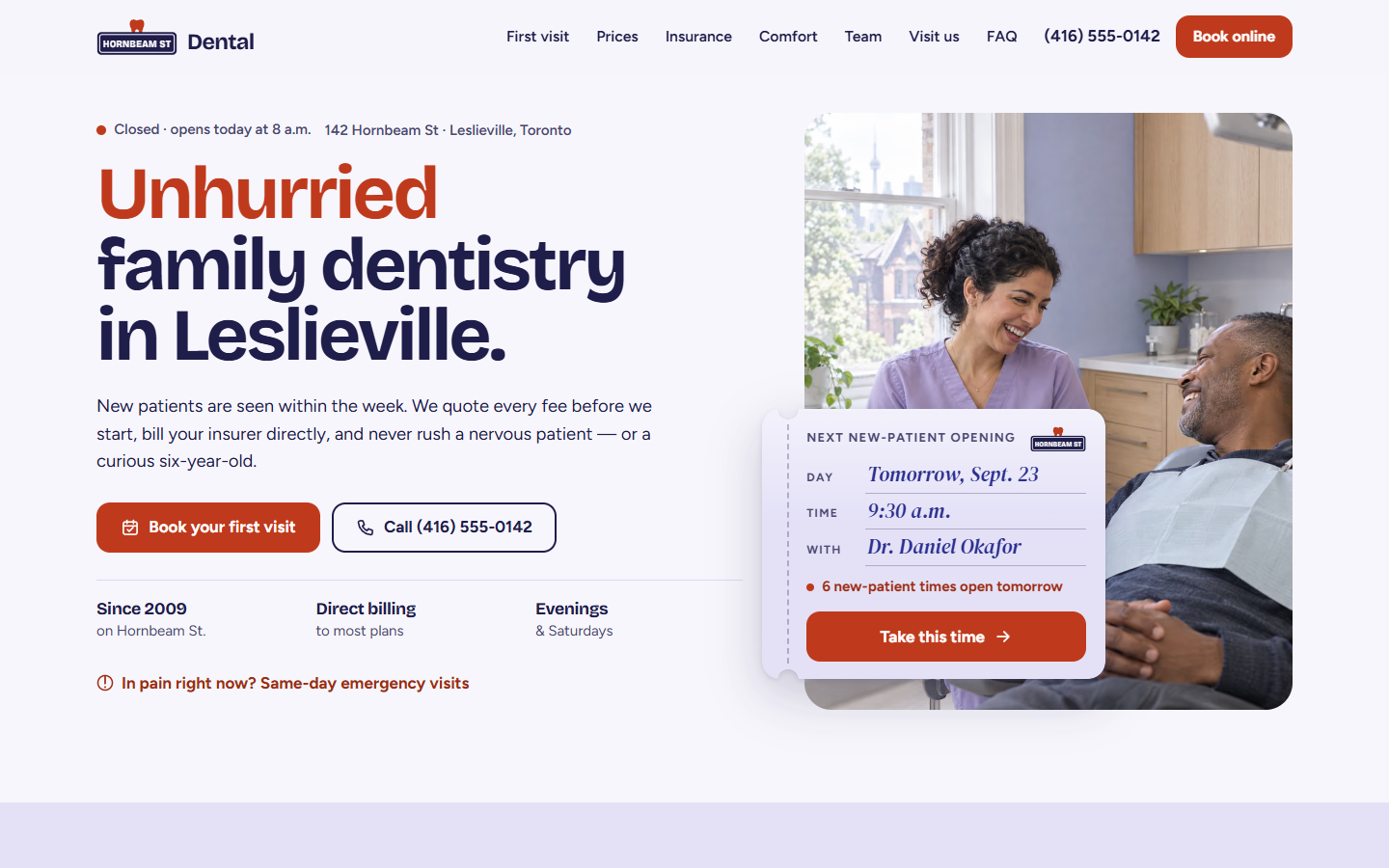
Show the next opening, not just “Book now”
The first screen names a day, a time and a dentist. “Take this time” fills in the reason, day, time and dentist and jumps straight to the contact details, so booking starts from the hero.
Hornbeam Street Dental is a fictional family clinic in Leslieville, Toronto. This concept homepage is built to turn price-checkers and nervous patients into booked new-patient visits, at a time they pick themselves.
Opens the demo site. It's a fictional business, so forms and buttons won't contact anyone.
The brief
In our imagined brief, Hornbeam Street Dental is a family practice in a red-brick house, with two dentists, a team of nine and direct insurance billing. People find it on Google Maps, but its old website hides the fees, only takes bookings by phone in office hours, and says nothing to people who dread the dentist. The new site has to answer three questions fast: what will it cost, what will my plan pay, and when can I come in? Then it has to let people book a time without waiting for a call back.
Adults and parents in east Toronto looking for a new dentist, mostly on a phone and often after years without a checkup. Many are nervous, and most want the price and their insurance share before they book.
Anatomy of the page
The page follows the order a new patient's questions come up, from “can I get in?” to “how do I find you?”.

An open-now line in Toronto time, the address, and two buttons: Book and Call. Beside them, a card shows the next new-patient opening (day, time and dentist) and how many times are left that day. One tap on “Take this time” fills in the booking form.
$219 all in for a new patient, what that includes, and a timeline of the first hour from 0:00 to 0:50. Knowing exactly what happens takes some of the fear out of a first visit.
Its message changes with the clock: before opening, before 11 a.m., later in the day and after hours. Someone in pain can see at a glance whether to call now or leave a message.
15 treatments in 4 groups, each group showing what plans usually cover. The estimator lets you pick one of 8 treatments and your cover (100% down to none) and shows what your plan pays and what you pay. On phones the price groups fold up so the page stays short.
A comfort menu with 7 options for nervous patients, a section on back-to-back family visits, and the three people new patients meet first, with the languages they speak. Then three sample reviews, clearly labelled as sample content.
Reason, day, time, details, confirm. An appointment card fills in as you choose, and on phones it shrinks to a slim sticky strip so you never lose track. It's a demo, so nothing is sent.
The address with nearby streets, an hours table that highlights today, a drawn map, and step-free access, parking and streetcar details. Then 8 common questions and a last Book and Call pair in the footer.
Why it gets calls and bookings
The first screen names a day, a time and a dentist. “Take this time” fills in the reason, day, time and dentist and jumps straight to the contact details, so booking starts from the hero.
Every common treatment has a price in Canadian dollars, with what plans usually cover. The estimator turns that into two numbers: what your plan pays and what you pay. A written quote promise backs it up.
Nervous patients pick headphones, numbing gel, laughing gas and more from a comfort menu. Their picks carry over into the booking form, and the page says plainly: raise your left hand and we stop.
Five short steps with booked times crossed out, clear error messages and a review screen before anything is sent. Choose “My child” and the form asks for the child's name and a parent's phone number.
On phones, a Call and Book bar slides up once the hero buttons scroll away, and hides again over the booking form and the footer buttons. It shows “Open now” during opening hours, and the open-now status knows Ontario's public holidays.
Google Lighthouse, mobile, simulated 4G, measured on 19 September 2026. SEO isn't scored: concept demos are deliberately hidden from Google (noindex), which Lighthouse counts against them. Run it yourself on the live demo.
The package it represents
This concept is the kind of site you get with Local Pro: £1,290 to build, then from £39/month for care. Interactive extras, such as calculators and estimators, are quoted separately.
Free homepage preview
Send us your practice name and town. We'll design a homepage around your fees and new-patient booking, free, before you pay anything.